While I’ve been quite thrilled with my move back to Android, there have been a few minor hiccups. One involves my reading tracker.
While it’s unlikely I’ll ever be able to read for an hour a day for years on end (like my friend Adam), I like to track my reading to see how it’s going. I had an iPhone app to help with it, but it turns out that they don’t have an Android version of their app. I tried a few others, and they were ok, but I ended up just building my own in Lovable.
Introducing: TimeToRead.co
The app is pretty simple. You create an account, and then add books to it. When it’s time to read, tap the book and start a timer and it’ll keep track of your team reading the book.
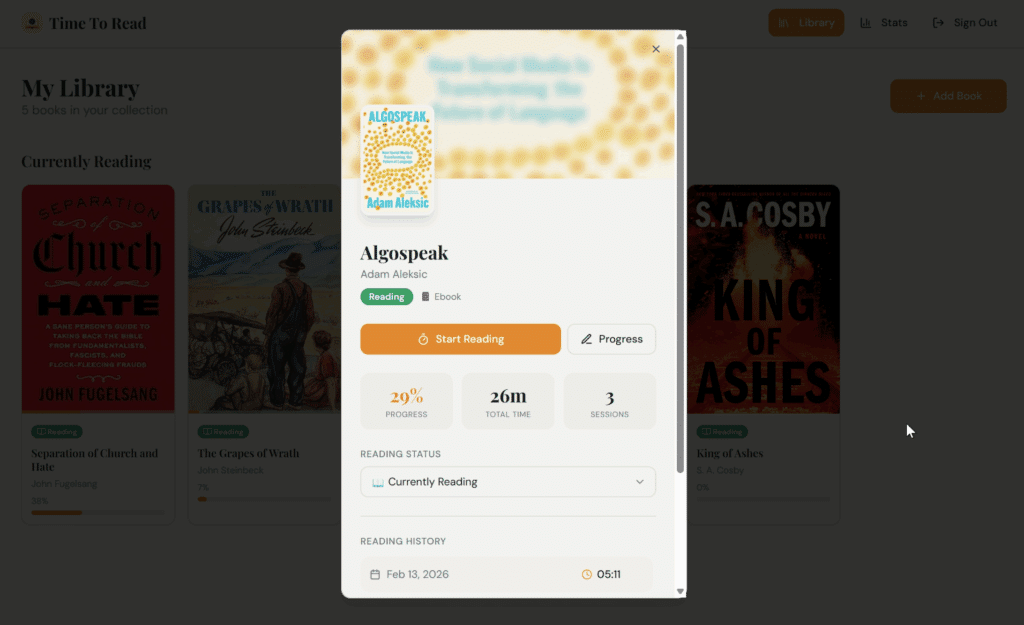
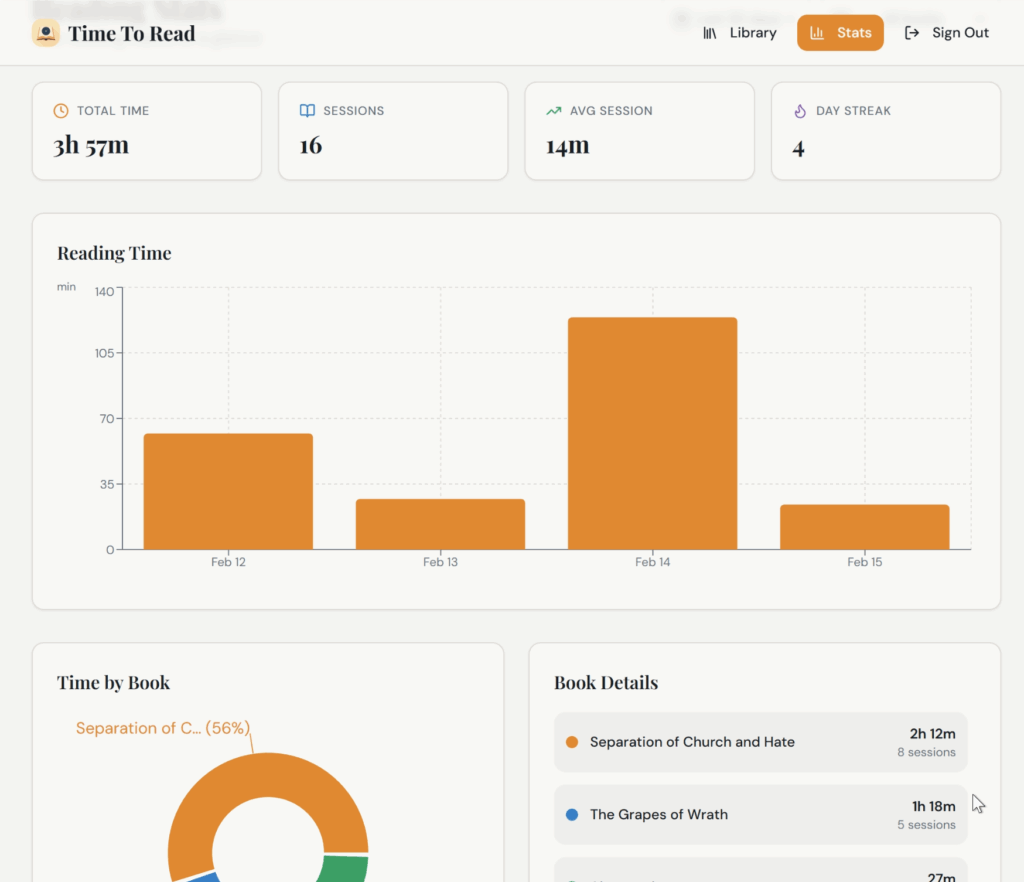
What I like most about it, though, are the stats. The stats page doesn’t have a ton of data on it, but it just so happens to have exactly the data that I’d like to see. Funny how that worked out. 😀
As with my other apps (including Flowstate Reader), there isn’t a full mobile app for this but it has great PWA (Progressive Web App) support, meaning if you pull it up on your mobile browser, it will install a “pretty much the same as a normal” app, and it works great.
As an added bonus, since it was designed as a web app, I can use it on my phone or on my computer. Since I often read in my computer chair, I can just click the timer on my computer and then kick back and read on my tablet.
This kind of app doesn’t have a huge appeal, but check it out at TimeToRead.co if you’re looking for something like this. It’s 100% free to use.
Do you track how long you read each day? If so, how do you do it?